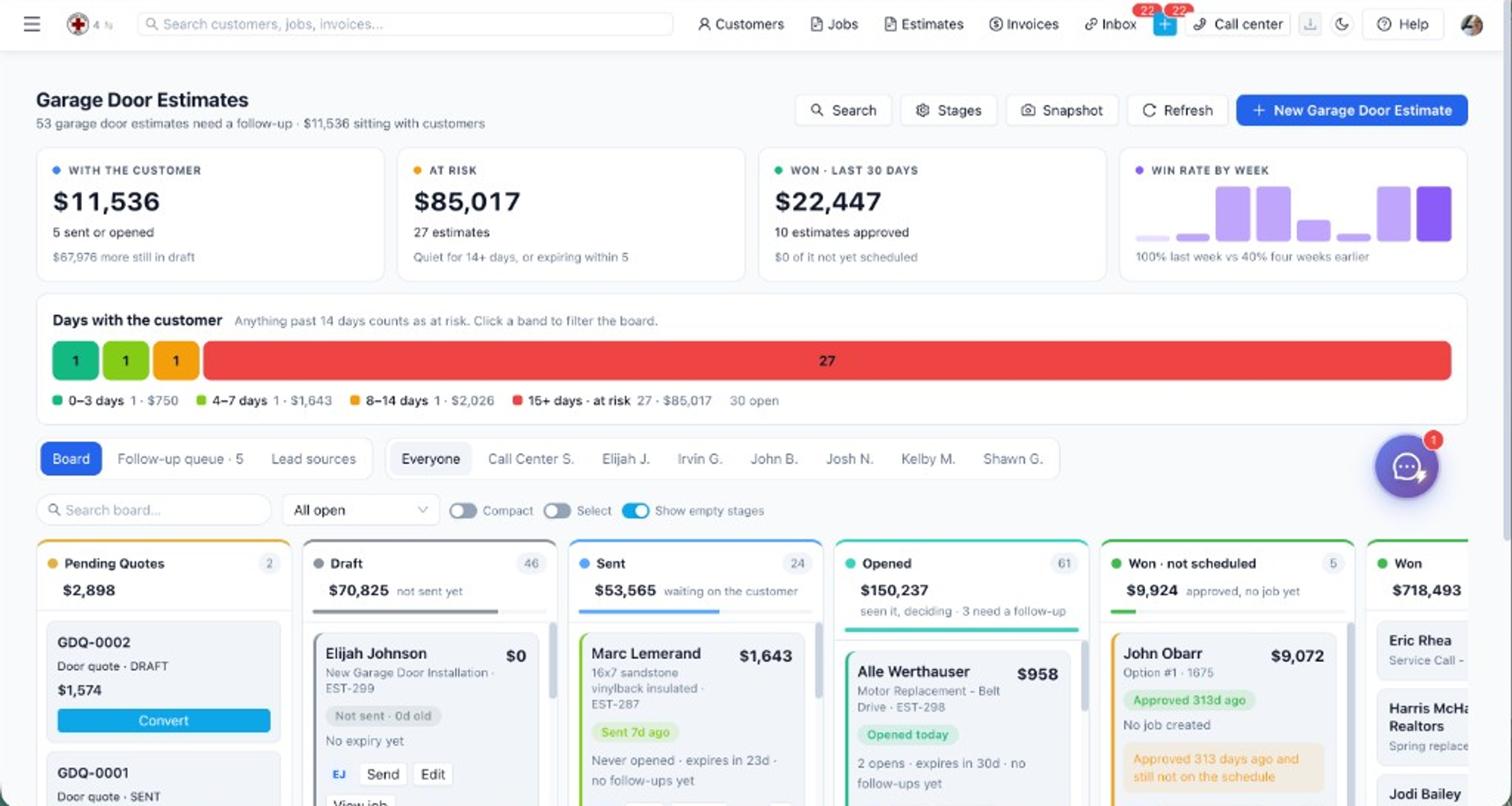
The Estimate Board at /estimates/board is a Kanban view of estimates by status. Use it for pipeline reviews and quick status updates without opening each record. Columns are Draft, Sent, Viewed, Approved, Declined, and Voided. Converted estimates sit in their own group so a sold job is not still treated as an open proposal.
Estimates to view toggle Board to /estimates/board - Or open /estimates/board directly Requires estimates:view; moves and actions require estimates:update. View columns: Draft, Sent, Viewed, Approved, Declined, Voided (plus converted estimates grouped separately). Drag cards between columns to update status (except voided, see limitations). Click a card to open /estimates/:id. Card menu actions: send, approve, convert to job, message customer (when integrations allow). Refresh board data after bulk changes elsewhere. Drag it to the new column (e.g. Confirm any prompt if the action has side effects (send/approve flows may open modals). Move or open an Approved estimate. Use card Actions to Convert to Job. Follow prompts, navigate to the new job when complete. Drag is a status change, the same change you would make on the detail page. Use the card menu to send, approve, convert to a job, or message, and only when those integrations are on. The board loads up to 500 estimates, newest first.
Overview
The Estimate Board at
/estimates/board is a Kanban view of estimates by status. Use it for pipeline reviews and quick status updates without opening each record.How to access
- Estimates → view toggle Board →
/estimates/board - Or open
/estimates/boarddirectly
Requires
estimates:view; moves and actions require estimates:update.How do you view columns: Draft, Sent, Viewed, Approved, Declined, Voided (plus converted estimates grouped separately)?
View columns: Draft, Sent, Viewed, Approved, Declined, Voided (plus converted estimates grouped separately).
- View columns: Draft, Sent, Viewed, Approved, Declined, Voided (plus converted estimates grouped separately).
- Drag cards between columns to update status (except voided — see limitations).
- Click a card to open
/estimates/:id. - Card menu actions: send, approve, convert to job, message customer (when integrations allow).
- New Estimate →
/estimates/new. - Refresh board data after bulk changes elsewhere.
Prerequisites
estimates:viewto open the board.estimates:updatefor drag status changes and card actions.
Step-by-step
Update pipeline status
- Open
/estimates/board. - Find the estimate card.
- Drag it to the new column (e.g. Sent → Viewed).
- Confirm any prompt if the action has side effects (send/approve flows may open modals).
Convert from the board
- Move or open an Approved estimate.
- Use card Actions → Convert to Job.
- Follow prompts — navigate to the new job when complete.
Example: a Friday pipeline review without opening every estimate
Open Estimates → Board (
/estimates/board). Columns are Draft, Sent, Viewed, Approved, Declined, and Voided. Converted estimates sit in their own group so a sold job is not still treated as an open proposal. estimates:view can read the board. Dragging a card requires estimates:update.Drag is a status change, the same change you would make on the detail page. It does not email the customer by itself. Use the card menu to send, approve, convert to a job, or message, and only when those integrations are on. Voided is not a normal drag target. Use the detail actions for void rather than forcing the card into that column. Clicking the card opens
/estimates/:id when you need line items, the PDF, or the deposit.New Estimate goes to
/estimates/new and the new card returns to Draft until you send it. Refresh after someone edits the same estimate on the list, because the board does not assume it is the only screen open. A card in Viewed means the customer opened it. That is not approval. Approval is the Approved column or the approve action. Converting from the card creates the job path described in the jobs guide. It still needs a schedule if you want it on tomorrow's calendar.If a move snaps back, the user is missing
estimates:update, or the status change is one the board refuses (void). Fix the permission or open the record. Do not add a second pipeline board.Current limitations
- Voided estimates cannot be moved on the board; void from detail instead.
- Converted estimates appear in a separate area — they are no longer active pipeline items.
- Board loads up to 500 estimates sorted by created date descending; use the list view for heavy filtering.
Edge cases the Friday review hits
The board loads up to 500 estimates, newest first. A shop with a longer history should filter on the list, not expect the board to be the archive. Dragging Sent to Viewed can open a prompt when that status has a side effect. Read the prompt. Cancelling it leaves the card where it was. Approving from the card menu is the staff approval, the same as detail. It is not the customer tapping approve on their phone. If the customer must accept in the portal, wait for that status instead of dragging the card to Approved to "clean up" the meeting.
Convert to job from an approved card follows the prompts and then opens the job. The estimate leaves the active columns and shows with converted work. You cannot drag it back to Draft to un-sell it. Void from the detail page if the proposal should die. A voided card stays put on the board.
Two people can open the same card. The second drag wins on the server, and the first browser looks stale until Refresh. Message customer on the card menu sends only when email or SMS is configured. Otherwise the menu item cannot deliver, and you still have the PDF.
Related features
- Estimates Overview — list, send, PDF, detail actions
- Estimate Builder — create new pipeline entries
- Jobs List & Detail — after convert-to-job